 Ahmad
Ahmad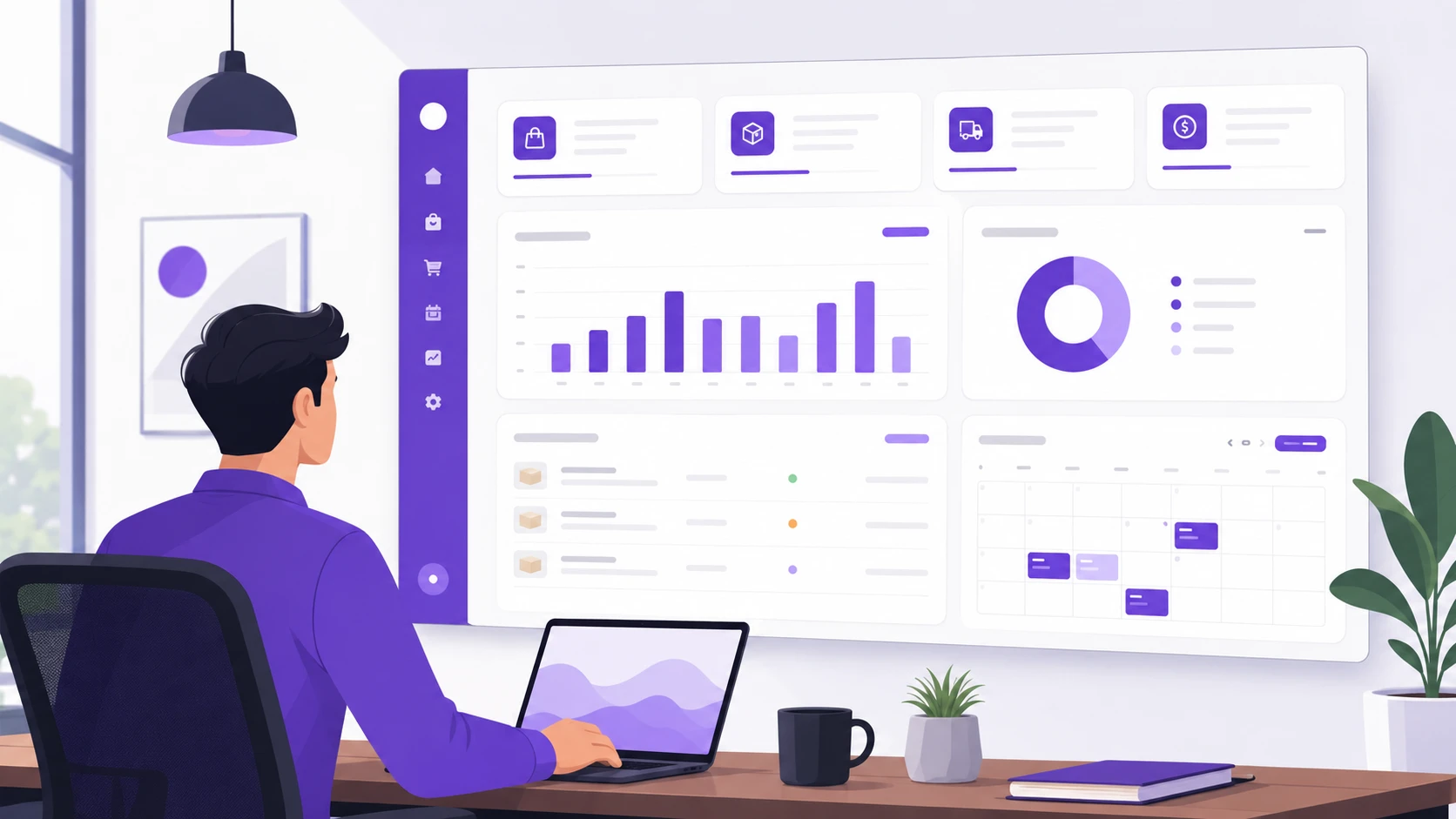
Quick Answer: An admin dashboard is a private control panel for your business. It shows your orders, bookings, stock, and staff on one screen. You need one when spreadsheets, WhatsApp messages, and paper notes stop keeping up. Most small businesses pay between $1,500 and $8,000 for a custom build in 2026.
Quick question. Do you know how many orders came in yesterday? Right now, without opening three apps or calling anyone?
If you had to guess, you're not alone. Most business owners I talk to run their whole company from a mix of spreadsheets, sticky notes, and group chats. It works. Until it doesn't.
An admin dashboard fixes that mess. It's one screen where your orders, inventory, bookings, and team info all live together. No hunting. No guessing.
In this guide, I'll explain what an admin dashboard is in plain words. You'll see real examples, honest 2026 prices, and clear signs that it's time to get one. By the end, you'll know if your business needs one or not. Sound fair?
What Is an Admin Dashboard, in Plain English?
Think of the dashboard in your car. One glance tells you your speed, fuel, and engine health. You don't open the hood every five minutes to check.
An admin dashboard does the same job for your business. It's a private web page only you and your team can log into. It pulls your business numbers into one place and shows them live.
Here's what that looks like in real life:
· Orders: See every new order, its payment status, and where it is in shipping.
· Inventory: Watch stock levels drop as items sell. Get a warning before you run out.
· Bookings: View today's appointments on a calendar. Cancel or move them in two clicks.
· Staff: Check who's working, assign tasks, and see who handled which customer.
When I built a dental supplies store for US customers, the public shop was only half the project. Behind it sat an admin dashboard where the team tracked orders, managed vendors, and updated prices without touching any code. That back end is what kept the business running smoothly every day.
Why a Growing Business Needs an Admin Dashboard
Now, you might think spreadsheets are enough. And early on, they are. But here's what changes once a proper dashboard is in place:
· You stop losing orders. Nothing slips through a forgotten email or a buried chat message.
· You see problems early. Low stock, unpaid invoices, or a slow week shows up before it hurts.
· Your team stops asking you everything. Staff can check the same screen instead of pinging you.
· Decisions get faster. Real numbers beat gut feelings when you're choosing what to reorder.
· You get your evenings back. Checking the business takes two minutes, not two hours.
Honestly, that last one matters most to the owners I work with. Less chaos, more sleep.
How to Get an Admin Dashboard Built (Step by Step)
So, how do you actually go from messy spreadsheets to one clean screen? Here's the path I walk clients through.
1. Write Down Your Daily Pain
Spend one week noting every time you search for information. Which order was that? How many units are left? Who's on shift Friday?
Each note is a clue. Your dashboard should answer those exact questions.
2. List the Numbers You Check Most
Pick the five to eight things you look at every single day. Sales, new bookings, stock counts, pending payments. That short list becomes your main screen.
Keep it small. A cluttered dashboard is just a prettier spreadsheet.
3. Decide Who Gets Access
You'll want full control. Your manager might need orders and staff only. A part-timer might only see today's bookings.
Good dashboards have roles, so each person sees just what they need. This also protects sensitive data like revenue.
4. Map Where Your Data Lives Now
Your orders might sit in Shopify or a custom store. Bookings in a calendar app. Stock in Excel. Make a simple list of every tool you use.
A developer connects these sources so the dashboard updates itself. No copy-pasting numbers ever again.
5. Set a Realistic Budget
In 2026, typical market ranges look like this: a simple dashboard runs $1,500 to $4,000. A mid-size one with orders, inventory, and staff tools runs $4,000 to $8,000. Complex builds with many integrations can pass $15,000.
In Pakistan, similar builds often range from PKR 200,000 to PKR 900,000. It depends on features, integrations, and how polished the design needs to be. These are ranges, never guarantees.
6. Choose a Developer Who Asks Questions
A good developer will ask about your workflow before quoting. If someone quotes instantly without understanding your business, walk away.
Ask to see a past admin panel they've built. Real screenshots tell you more than promises.
7. Launch Small, Then Grow
Start with your top three features. Use them for a month. Then add reports, alerts, or new sections based on what you actually miss.
This keeps costs down and avoids paying for screens nobody opens.
If you'd rather talk it through with someone who builds these every week, you can [request a free dashboard consultation from Build by Ahmad] and get honest advice on what your business truly needs.
What Changes Once Your Dashboard Goes Live
The first month with a proper admin dashboard feels strange. In a good way. Here's what owners notice:
· Morning check-ins shrink from an hour to five minutes.
· Stock-outs nearly disappear because low-stock alerts arrive early.
· Customer questions get answered faster since staff can see order status instantly.
· Month-end reports build themselves instead of eating a weekend.
· New employees learn the system in days because everything sits in one place.
· You can run the business from your phone while traveling.
The truth is, most owners say the same thing after a few weeks: "Why didn't I do this sooner?"
Common Admin Dashboard Mistakes (and Easy Fixes)
I've seen a few projects go sideways. Here's what causes it, and how you avoid each one.
Cramming Everything Onto One Screen
Some owners want fifty numbers visible at once. The result is noise nobody reads.
The fix: put your top five metrics up front. Push everything else into separate tabs or reports.
Skipping User Roles
Giving every employee full access sounds easy. Then a temp worker sees your profit margins, or deletes a record by mistake.
The fix: set roles from day one. Owner, manager, staff. Two minutes of setup saves real headaches.
Building Before Cleaning the Data
If your spreadsheet has duplicate customers and typos, your dashboard will show wrong numbers. Garbage in, garbage out.
The fix: tidy your records first. A developer can help you clean and import them properly.
Forgetting Mobile
You won't always be at a desk. A dashboard that breaks on a phone gets ignored.
The fix: ask for a mobile-friendly design in your brief. It should be standard, but confirm it anyway.
No Training for Staff
A tool nobody understands becomes a tool nobody uses. Adoption dies quietly.
The fix: ask your developer for a short walkthrough video. Fifteen minutes is usually enough.
Spreadsheets vs an Admin Dashboard: Side by Side
Both can run a business. But they behave very differently as you grow.
|
Feature |
Spreadsheets |
Admin Dashboard |
|
Live updates |
Manual entry, often stale |
Automatic, real-time |
|
Multiple users |
Version conflicts |
Clean roles and logins |
|
Error risk |
High (one wrong cell) |
Low (validated forms) |
|
Alerts |
None |
Low stock, new orders |
|
Mobile use |
Painful |
Built for phones |
|
Cost |
Nearly free |
$1,500-$8,000 typical |
Spreadsheets win on price. A dashboard wins on everything else once you pass a handful of daily orders or bookings.
Pro Tips From a Developer Who Builds These
Look, after building admin panels for clinics and stores, a few lessons repeat. Steal them:
· Ask for an activity log. Knowing who changed what saves arguments later.
· Get CSV export on every table. Your accountant will thank you.
· Request low-stock and new-order alerts by email or WhatsApp. Alerts beat checking.
· Insist on daily automatic backups. One click restore is worth gold.
· Keep the login page off your public menu. Fewer bots, fewer attacks.
· Ask how new features get added later. Avoid systems only one person on earth can edit.
· Test the dashboard on your own phone before final payment.
Questions Business Owners Ask Me About Dashboards
Can an admin dashboard connect to my existing website?
Yes, in most cases. If your site or store has a database or an API, a dashboard can plug into it. Even older sites can usually be connected with some extra work.
Do I need coding skills to use one?
No. A well-built dashboard works like any modern app. If you can use online banking, you can use a dashboard.
How long does a custom dashboard take to build?
A simple one takes two to four weeks. Mid-size builds with orders, inventory, and staff tools usually take four to eight weeks. Complex integrations add time.
Is a dashboard safe for sensitive business data?
It should be, if built right. Look for encrypted logins, user roles, and regular backups. Ask your developer directly how they handle security.
What's the difference between an admin dashboard and an admin panel?
Mostly wording. Some people say panel for the controls and dashboard for the charts. In practice, one system usually does both jobs.
Can I start with a small dashboard and expand later?
Absolutely, and I recommend it. Launch with core features, then add reports and sections as real needs appear. It's cheaper and smarter than guessing upfront.
One Screen, Whole Business: Your Next Move
Here's the thing. Your business already produces all this data every day. Orders, bookings, stock, staff hours. Right now it's just scattered.
An admin dashboard gathers it into one calm, clear screen. You'll spot problems early, answer customers faster, and finally stop drowning in spreadsheets. And with typical 2026 builds starting around $1,500, it's within reach for most growing businesses.
If that sounds like the upgrade your company needs, reach out through the contact page on buildbyahmad.site. Tell me what you're juggling, and I'll tell you honestly whether a dashboard makes sense for you.